In HelloCalory, you can log a homemade meal from a photo or a description, without a barcode. AI logging is free with ads. MyFitnessPal and Lose It! put meal-photo logging in Premium, and Cal AI requires a subscription to see food-scan results.
Which apps include free meal scans?
| iPhone app | Meal-photo logging |
|---|---|
 HelloCalory | Free with ads |
 MyFitnessPal | Meal Scan requires Premium |
 Lose It! | Photo Meal Logging requires Premium |
 Cal AI | Scan results require a subscription |
MyFitnessPal and Lose It! both include basic food logging on their free plans. If you already know what you ate and are happy to look up each food, you can use either without paying.
HelloCalory includes AI photo and text logging on the free plan. If you run out of AI credits, the app can prompt you to watch an ad to get more. The optional paid membership removes ads.
What happens when you scan a homemade meal?
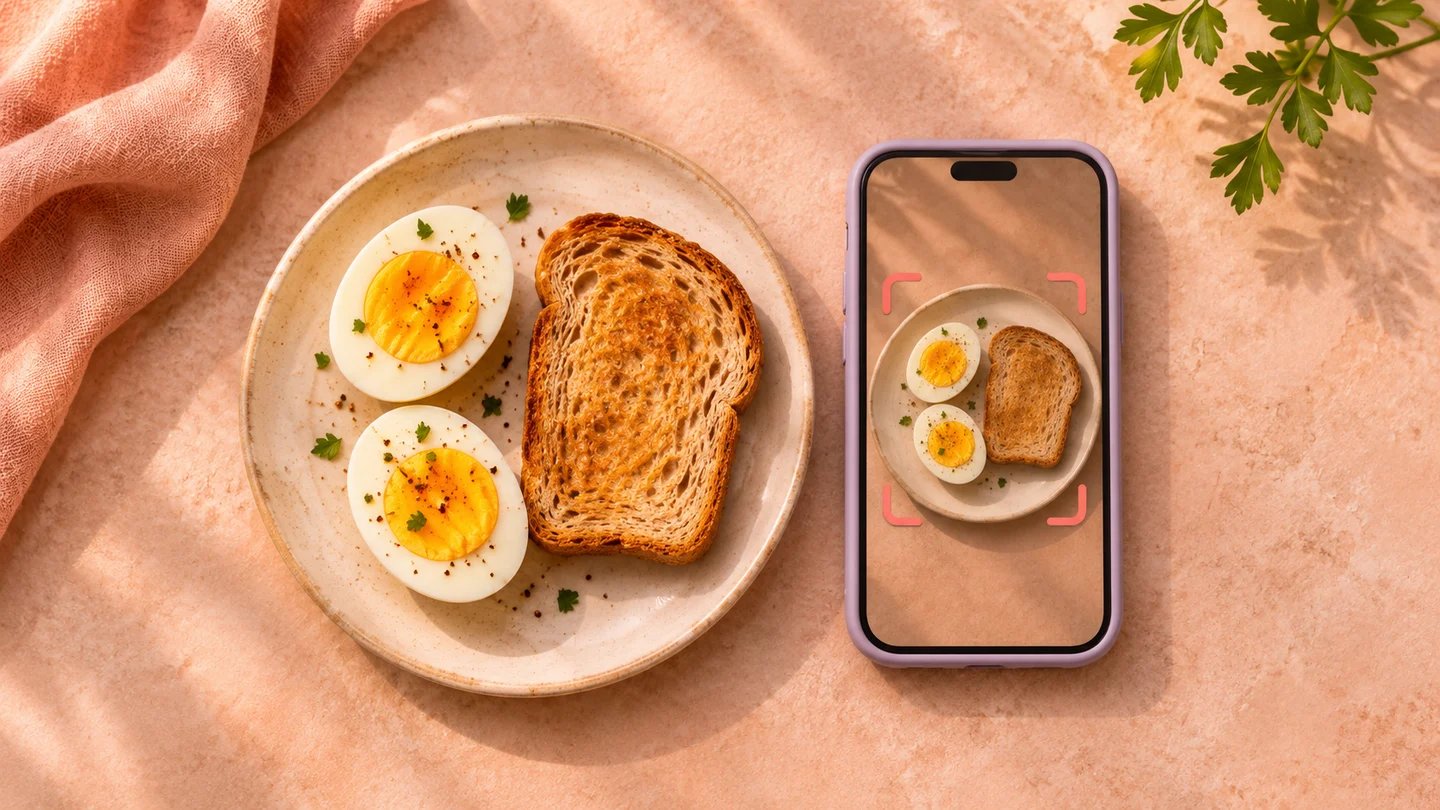
Here’s what it looked like when we logged two hard-boiled eggs in HelloCalory. The app estimated 156 calories for that plate.
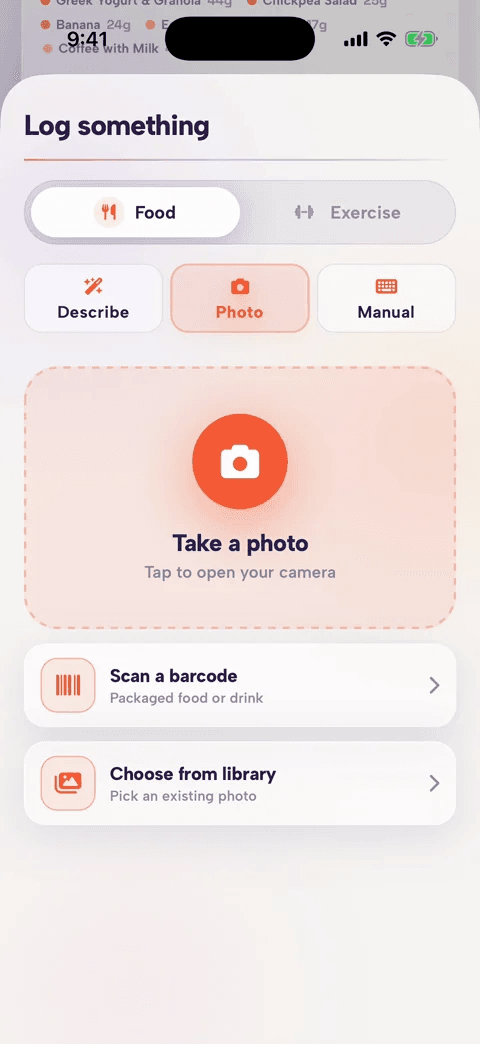 Take a photo or choose one from your library
Open the food log and choose Photo.
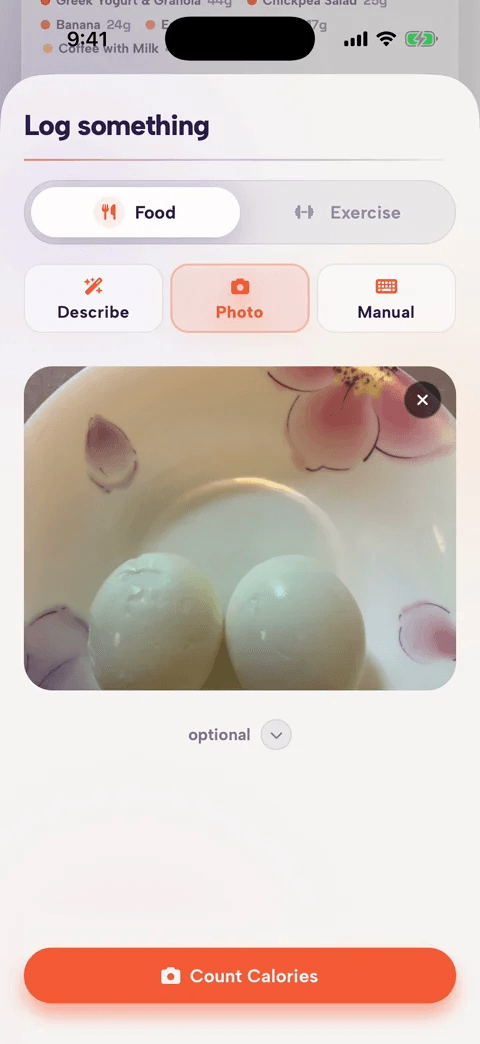 Check the photo preview
Once the photo appears, make sure it shows everything you want to log.
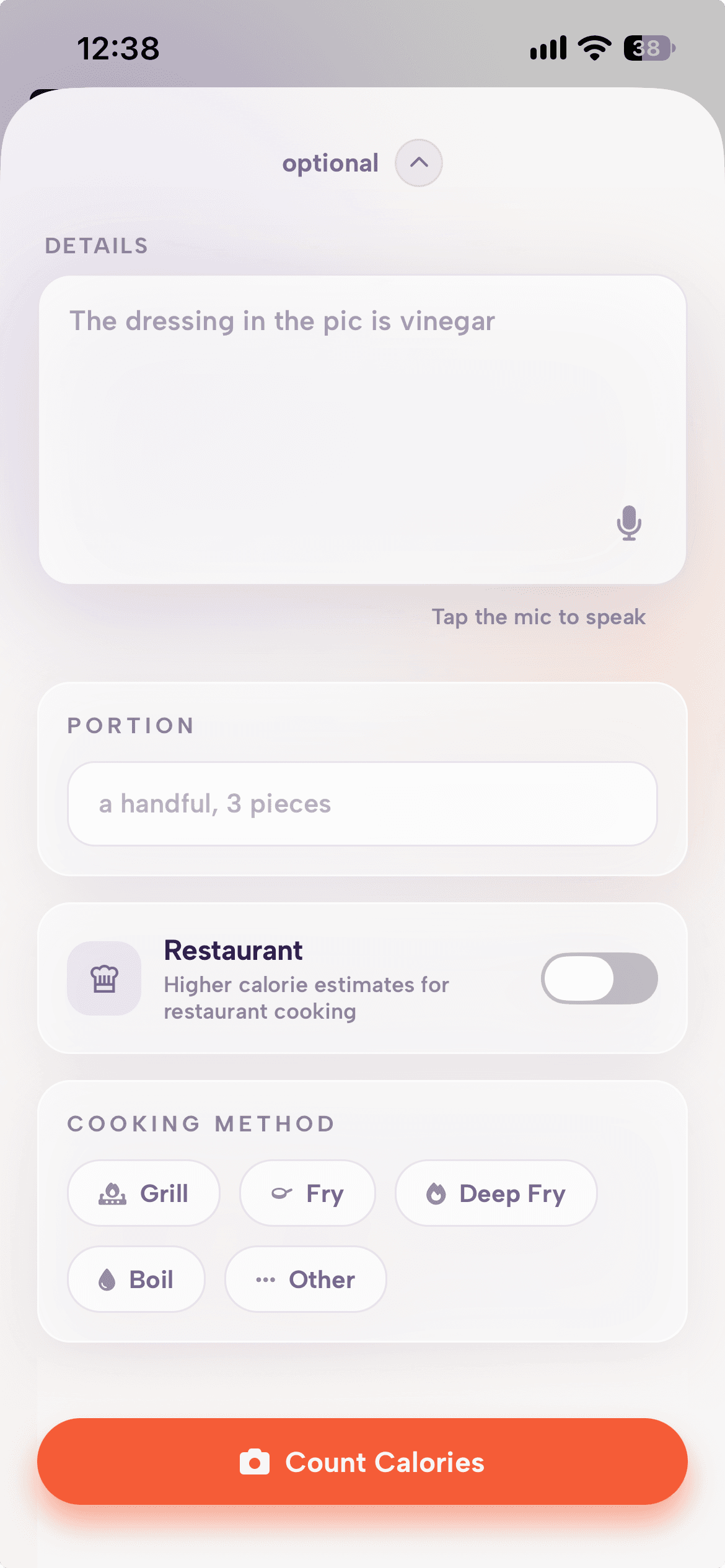 Add optional details
If you know the portion or how the food was cooked, you can add those details below the photo.
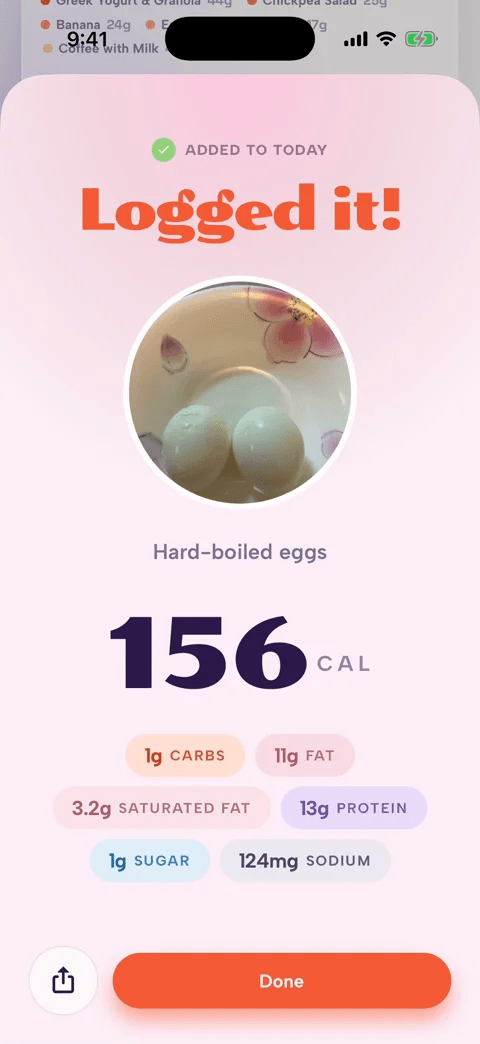 Tap Count Calories and check the result
HelloCalory saves the estimate to your log. If the portion or calorie total looks off, open the saved entry to edit it.
How accurate is AI calorie counting from a photo?
A photo gives you a starting estimate. The AI can recognize the food and still get the calories wrong if it guesses the portion size incorrectly. Ingredients like oil, dressing, or a filling can also be hard to see.
If you want to help the AI make a more accurate estimate, you can open optional and add any details you know before tapping Count Calories.
- Details. Type or dictate ingredients the camera might miss. For a salad, you could add “dressed with plain vinegar, no oil.”
- Portion. Tell the AI how much you actually ate, such as “two cups” or “half the plate.”
- Restaurant. Turn this on for a restaurant meal. It tells the AI to estimate higher calories to account for the extra oil or butter restaurants often cook with.
- Cooking method. Choose how the food was prepared, such as grilled, boiled, or deep-fried. Tap Other to type a different method, like steamed or baked.
These details give the AI fewer things to guess. If the estimate still looks off, you can edit the saved entry.
Can you log food without a photo or barcode?
Yes. In HelloCalory, choose Describe to get an AI estimate from what you type or say, like “two large hard-boiled eggs and a slice of buttered toast.” If you already know the numbers, choose Manual and enter the food name, calories, and any nutrients you want to track yourself.
Sources
HelloCalory’s free photo and text logging and optional ad-free membership. HelloCalory on the U.S. App Store
MyFitnessPal’s free food diary and Premium Meal Scan. MyFitnessPal plan comparison and Meal Scan help
Lose It!’s free basic tracking and Premium photo logging. Lose It! on the U.S. App Store
Cal AI’s subscription requirement for food-scan results. Cal AI on the U.S. App Store
Portion estimates as a source of error in AI food-photo logging. Study comparing food-photo recognition and manual logging